Know the ask
You know the outcome - a section from a render, a zoning memo, a silent flythrough. You should not have to learn the whole model list first.
Product
Frontier for the plan, workhorse for the bulk. Leave Model on Auto and Versur picks the right model for Agent, Vision, and Generator - and on long Agent runs, spends intelligence where the task still has ambiguity.
You know the outcome - a section from a render, a zoning memo, a silent flythrough. You should not have to learn the whole model list first.
On long Agent runs, the primary model plans and wraps up. Routine execute work can move to a cheaper same-family workhorse.
Pick All for cross-modality Auto, or lock Image, Video, 3D, or Upscale. Versur Auto picks the model from your prompt and wired inputs.
While the block runs, the field shows Auto plus the model for that phase. Cost lists every model that ran. Pin a named model when you need a fixed route.
Most of a long agent run does not need frontier intelligence. The hard part is the original decomposition - the design decisions, the tradeoffs, collapsing ambiguity into an explicit plan. Large stretches of tool work after that can run on a cheaper workhorse without lowering the quality of the outcome. That is the design pattern behind multi-model agents. It is also how VERSUR Auto thinks about cost on the canvas.
Model lists keep growing. On a single canvas you might need a fast read of a facade photo, a long research pass with tools, a new concept render, a plan drawing from that render, and a short motion clip - each step wants a different model. Most of the time you know the deliverable. You do not want the job of memorizing which model matches every kind of work.
Today we are introducing VERSUR Auto - intent-based model selection for Agent, Vision, and Generator blocks. Leave Model on Auto and Versur picks a concrete model for that run - from what you ask, what you wired in, and what the block is trying to produce. On long Agent runs, Auto can go further: keep a strong primary on plan and final synthesis, then route routine execute turns to a lighter same-family model. You stay in charge of the brief. Versur spends intelligence where the task still has ambiguity.
On Agent blocks, Versur Auto first scores the run from your prompts, active tools, attached images, and output shape - then picks a matching model tier (vision, code, document research, deep reasoning, creative writing, lightweight chat, or a balanced default). Heavy tool counts, long prompts, and multistep plan work can bump the run to a stronger frontier model as the primary for that execution.
That primary is not necessarily the model for every turn. On long Agent runs, Auto can switch models by phase: plan and the final answer stay on the primary; routine execute steps and context compression can use a lighter model from the same provider family. Read, search, and list steps go lighter; critique, generate, and final-deliverable steps stay strong. The expensive model collapses ambiguity into an explicit plan - then cheaper models do more of the bulk work under that plan. Runs with host-control tools (Rhino, Adobe) stay on the primary model for execute turns.
On Vision blocks, plain image analysis and structured JSON output are different jobs. Versur Auto treats them that way - fast read vs reliable schema output - without you switching models by hand.
The Generator block is where model choice hurts most when it is wrong. A text-to-image model will not turn a render into a section. A viewpoint model is the wrong tool for a labeled plan. Video with sound and silent motion want different models too.
Versur Auto on Generator covers Image, Video, 3D, and Upscale. Lock a mode when the template must stay in one modality; Versur Auto picks the model inside that mode. Choose All when the brief may land on any of them - Auto picks modality and model from your prompt and whether you wired an image, a clip, or nothing: new concept image, edit, camera move, plan or section drawing, labeled graphics, motion clip, mesh export, or upscale.
Prompt: Photorealistic timber pavilion in a birch forest at dusk
Pin every model by name and a workflow goes rigid. An Agent locked to one chat model and a Generator locked to one image model will keep producing that job - even when the next brief wants a different kind of work. The canvas did not change. The route did not either.
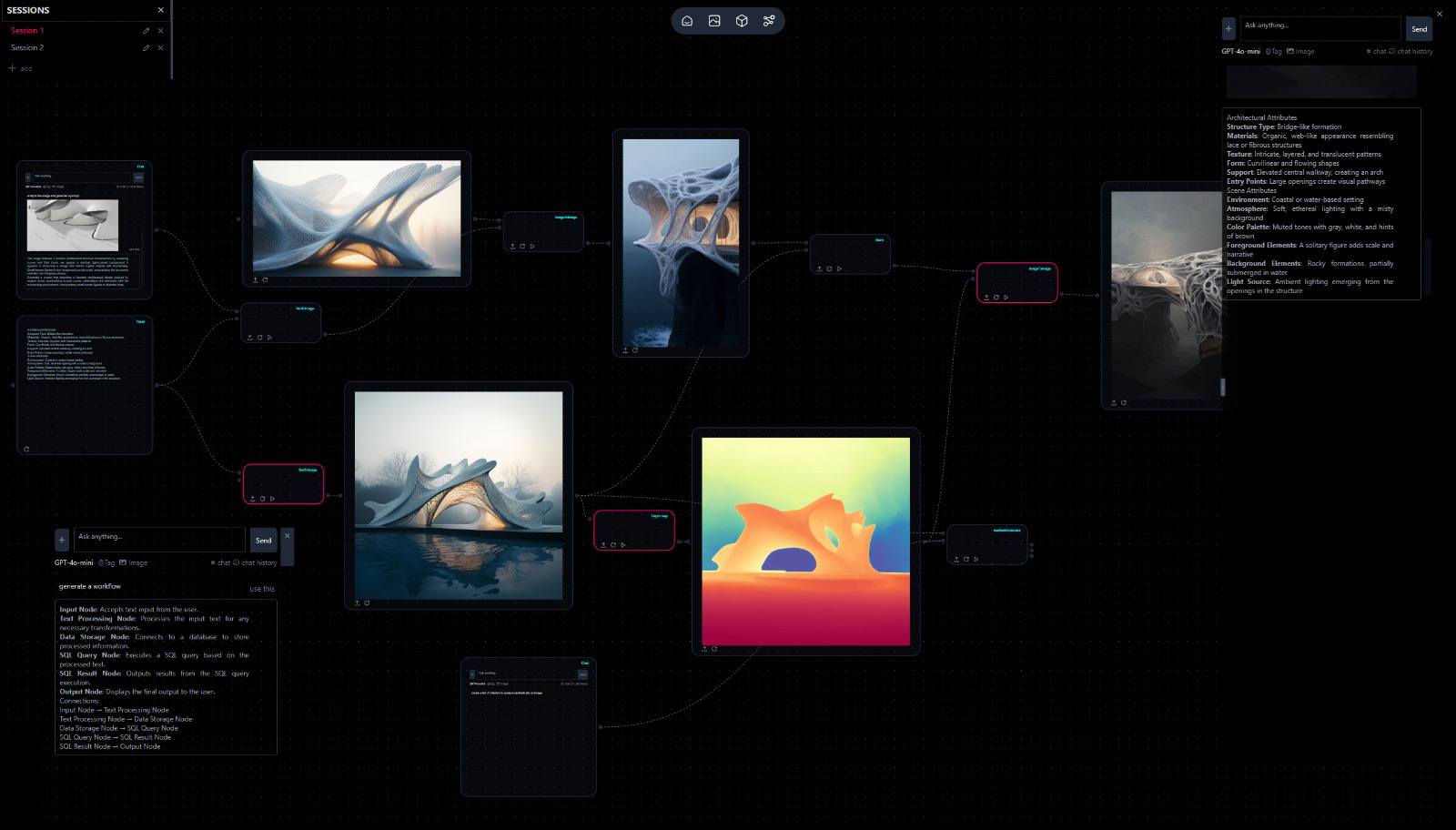
Leave Agent, Vision, and Generator on Auto and you get an Auto Graph: fixed topology, flexible routing. Same blocks and edges. Versur Auto chooses the model route for each run from the ask and what you wired in. The graph stays stable. The intelligence on each step can move with the brief.
Versur Auto is not a black box on the canvas. While a block runs, the model field shows Auto plus the model for that phase - and updates when a long Agent run swaps from primary to workhorse and back. When the run ends, it returns to Auto. Cost and run details list every model that ran and what it cost - exact per model when multiple models ran in the same execution.
That visibility matters for trust and for tuning. When you need the same model every time - a fixed review pass, a house style, a client-mandated provider - pin a named model. Auto and pinned models live on the same blocks.
Versur Auto is available in the workspace today on Agent, Vision, and Generator blocks. It sits alongside the model postures you already choose - hosted, BYOK, and local via Bridge - without changing how workflows, skills, or tools run.
Models you control is how you choose where inference runs. Versur Auto is how you choose which model fits the work - and, on long Agent runs, how you keep frontier intelligence on the decisions that need it while the rest of the job runs lean. The canvas stays about the design, not the picker.
Models you control · VERSUR Agent · Design Agents · VERSUR Loops · Changelog